
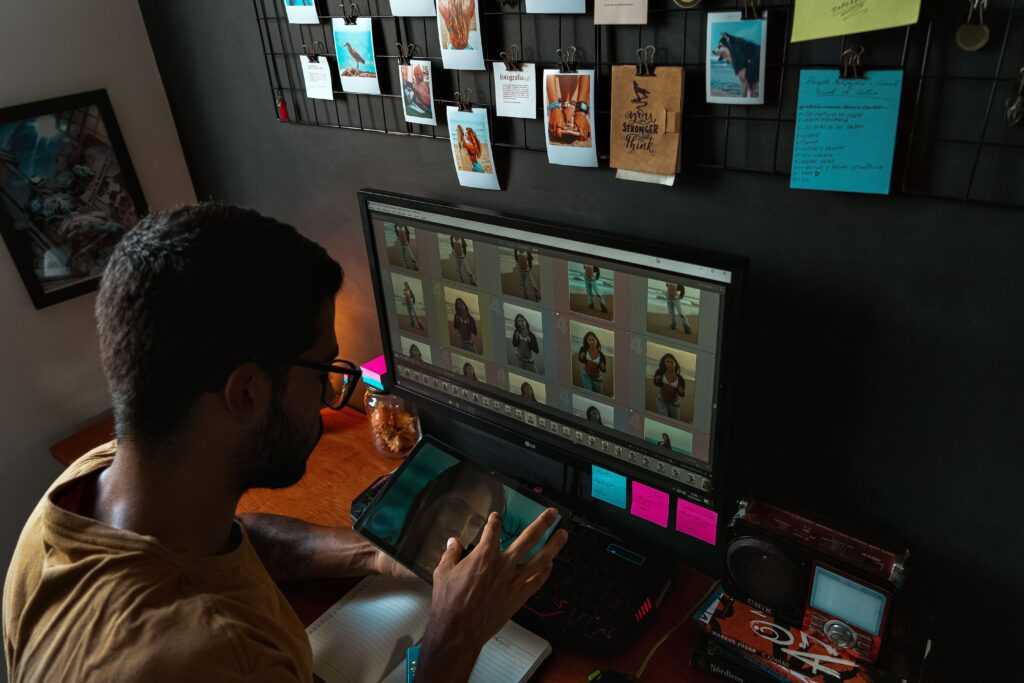
A good photograph does not always need to be replaced. Sometimes it simply needs a few changes to become more useful. A distracting object may need to disappear, the background might not fit the subject, or the lighting could be improved. In the past, making these adjustments often required detailed knowledge of photo-editing software.
Artificial intelligence is making this process much simpler. Instead of manually selecting every object or adjusting dozens of settings, users can increasingly explain what they want in ordinary language. The AI can then interpret the request and produce an edited version of the original image.
This new approach is changing how photographers, marketers, content creators, online sellers, and everyday users think about image editing.
What Makes AI Photo Editing Different?
Traditional photo editing is generally based on tools. Users select an area, choose a brush, adjust a slider, create a mask, or work with multiple layers. These methods offer excellent control, but they can take time to learn.
AI editing introduces a more conversational approach. The user can upload an image and describe the desired change. Instead of explaining which technical tool should be used, the creator focuses on the visual result.
For example, someone could ask an AI editor to remove a person in the background, replace a dull sky, brighten the scene, or change the setting while keeping the main subject intact.
This makes image editing easier to approach, particularly for people who do not regularly use professional design software.
Exploring Prompt-Based Photo Editing
One interesting development is the ability to combine an existing photograph with a written instruction. People researching a Nano Banana 2.5 photo editing tool are often interested in this kind of prompt-based workflow, where an image can become the starting point for a new visual direction.
The important part is being specific about the requested change.
Instead of writing, “Improve this picture,” a creator could say, “Replace the background with a clean modern office, keep the person’s face and clothing unchanged, and use soft natural lighting.”
The second instruction gives the editing system much more information about both the desired change and the elements that should remain consistent.
Transforming Backgrounds
Background replacement is one of the most practical uses of AI-assisted editing.
A product photograph may have been taken against an ordinary wall, but the business may want a cleaner environment for its website. A portrait might look better in a professional workspace instead of the original location. A travel image could be adapted to create a different creative concept.
AI can help explore these possibilities without requiring the creator to manually cut around the subject.
However, the result should always be inspected around difficult edges. Hair, transparent objects, shadows, and fine details can sometimes require additional refinement.
Removing Distracting Objects
Even carefully planned photographs can contain unwanted elements. A cable, sign, rubbish bin, stranger, or random object can draw attention away from the main subject.
AI-powered editing can make these distractions easier to remove. The user can identify the unwanted element and request its removal rather than manually reconstructing the background.
The system then attempts to fill the missing area using information from the surrounding image.
This can be particularly useful for social-media photographs, travel pictures, product shots, and images used in articles.
Making Product Images More Useful
Online businesses depend heavily on product photography. Unfortunately, producing multiple versions of every product photograph can be expensive and time-consuming.
AI editing can help businesses experiment with different environments using an existing product image.
A pair of shoes could be placed in an outdoor lifestyle scene. A piece of furniture could be presented in a modern room. A technology product could be shown in a clean workspace.
These variations can help marketing teams explore different creative directions.
Accuracy is important, though. An edited image should not incorrectly change the product’s shape, features, branding, or functionality. Commercial images should always be checked against the real product before publication.
Improving Portraits Without Losing Identity
Portrait editing requires a different type of control because the person’s identity is an important part of the image.
AI can be used to experiment with lighting, backgrounds, clothing concepts, or overall visual atmosphere. A casual photograph can potentially be developed into a more professional-looking profile image without recreating the entire scene.
However, excessive editing can make a photograph look unnatural. When working with portraits, creators should pay attention to facial features, skin texture, proportions, eyes, hair, and other recognizable details.
The goal should be to improve the photograph rather than remove the characteristics that make the subject recognizable.
Using AI for Creative Restyling
AI photo editing is not limited to corrections. It can also be used for creative experiments.
An ordinary photograph can become a cinematic scene, illustration, painting-inspired composition, vintage-style image, or another visual concept. This gives creators a quick way to test different artistic directions.
For example, a blogger preparing an article about futuristic technology could transform an ordinary workspace photograph into a more futuristic visual concept.
This type of experimentation can be useful before committing to a final design because creators can compare several directions first.
Text Inside Images Needs Extra Attention
AI-generated and AI-edited images can also contain text. Posters, advertisements, packaging concepts, social graphics, and promotional designs may all require readable words.
This is an area where careful review is especially important.
A single incorrect letter can change the meaning of a headline, brand name, product label, or advertisement. Creators should therefore inspect generated text closely instead of assuming that every character is correct.
Current CapCut AI image workflows specifically support text-led visual creation and image-to-image editing, while allowing creators to continue refining the visual within the broader editing workflow.
Why Iterative Editing Works Better
AI editing does not have to be a one-step process.
In fact, making several smaller adjustments can often be easier than asking for too many changes at once.
A creator might first replace the background. Once that looks correct, they could adjust the lighting. After that, they might remove a distracting object and make a final color adjustment.
This approach makes it easier to identify problems and preserve successful versions.
It also gives creators a better understanding of which instructions produce useful results.
AI Editing for Social Media Content
Social media creators often need multiple versions of the same visual. A photograph created for a website may need to be adapted for a vertical story, square post, thumbnail, or promotional graphic.
AI editing can help repurpose existing visual material rather than requiring a completely new image for every platform.
A creator can change the composition, extend the background, reposition the main subject, or develop a new visual direction while keeping the original concept.
The final dimensions should always be considered before editing so important subjects do not become awkwardly cropped.
Human Judgment Still Has a Role
Although AI can automate many editing tasks, it does not remove the need for human review.
A creator should inspect the final image for unusual objects, distorted details, incorrect text, inconsistent shadows, unrealistic reflections, and changes to important features.
This is especially important for commercial content.
AI can suggest or produce an edit, but the person publishing the image remains responsible for deciding whether the result is accurate and appropriate for its intended purpose.
How to Get Better Results
A few simple practices can make AI photo editing more effective.
Start with the clearest source image available. Explain exactly what should change and mention important elements that should remain untouched. Avoid combining too many unrelated requests in one instruction.
It is also useful to compare the edited image with the original. This helps reveal changes that may not have been immediately noticeable.
Most importantly, treat the first result as a draft rather than automatically assuming it is finished.
The Growing Role of AI in Visual Work
AI photo editing is gradually becoming part of a larger creative workflow. Image generation, reference-based editing, background changes, resizing, enhancement, and even video-related processes can increasingly connect within the same creative environment.
CapCut’s current AI image workflow, for example, supports both creating visuals from written descriptions and transforming reference images through image-to-image processes.
This means users can move from an initial idea to a visual draft and then continue refining it rather than switching between several unrelated tools.
Bottom Line
AI photo editing is changing image creation by making many complex adjustments easier to describe and experiment with. From replacing backgrounds and removing distractions to creating product variations and restyling photographs, the technology can reduce repetitive editing work.
The strongest results still depend on clear instructions and careful review. AI can handle much of the technical process, but human creativity remains important for deciding what the image should communicate and whether the final result is accurate.
Used thoughtfully, AI photo editing can turn an ordinary photograph into a more useful visual asset without requiring every adjustment to be completed manually.
 Janez L. writes the kind of market analysis and trends content that people actually send to each other. Not because it's flashy or controversial, but because it's the sort of thing where you read it and immediately think of three people who need to see it. Janez has a talent for identifying the questions that a lot of people have but haven't quite figured out how to articulate yet — and then answering them properly.
They covers a lot of ground: Market Analysis and Trends, Business News and Insights, Entrepreneurship Tips, and plenty of adjacent territory that doesn't always get treated with the same seriousness. The consistency across all of it is a certain kind of respect for the reader. Janez doesn't assume people are stupid, and they doesn't assume they know everything either. They writes for someone who is genuinely trying to figure something out — because that's usually who's actually reading. That assumption shapes everything from how they structures an explanation to how much background they includes before getting to the point.
Beyond the practical stuff, there's something in Janez's writing that reflects a real investment in the subject — not performed enthusiasm, but the kind of sustained interest that produces insight over time. They has been paying attention to market analysis and trends long enough that they notices things a more casual observer would miss. That depth shows up in the work in ways that are hard to fake.
Janez L. writes the kind of market analysis and trends content that people actually send to each other. Not because it's flashy or controversial, but because it's the sort of thing where you read it and immediately think of three people who need to see it. Janez has a talent for identifying the questions that a lot of people have but haven't quite figured out how to articulate yet — and then answering them properly.
They covers a lot of ground: Market Analysis and Trends, Business News and Insights, Entrepreneurship Tips, and plenty of adjacent territory that doesn't always get treated with the same seriousness. The consistency across all of it is a certain kind of respect for the reader. Janez doesn't assume people are stupid, and they doesn't assume they know everything either. They writes for someone who is genuinely trying to figure something out — because that's usually who's actually reading. That assumption shapes everything from how they structures an explanation to how much background they includes before getting to the point.
Beyond the practical stuff, there's something in Janez's writing that reflects a real investment in the subject — not performed enthusiasm, but the kind of sustained interest that produces insight over time. They has been paying attention to market analysis and trends long enough that they notices things a more casual observer would miss. That depth shows up in the work in ways that are hard to fake.